
Thermal Printer or Thermal Transfer: How to Choose the Right Label Printer
Direct thermal and thermal transfer printing look similar, but they behave very differently in practice. We break down the difference between printing methods, label types, and ribbons, and explain why a printer needs a rewinder with a dispenser.
The warehouse accepted the shipment, the labels were applied, and everything looks neat. But a month later, the storekeeper pulls a box out of a far corner — and sees a white spot on the label instead of the date and barcode. The text has simply faded. For products with a short cycle, that is a minor thing. For goods that sit in the warehouse for six months, it is already a problem.
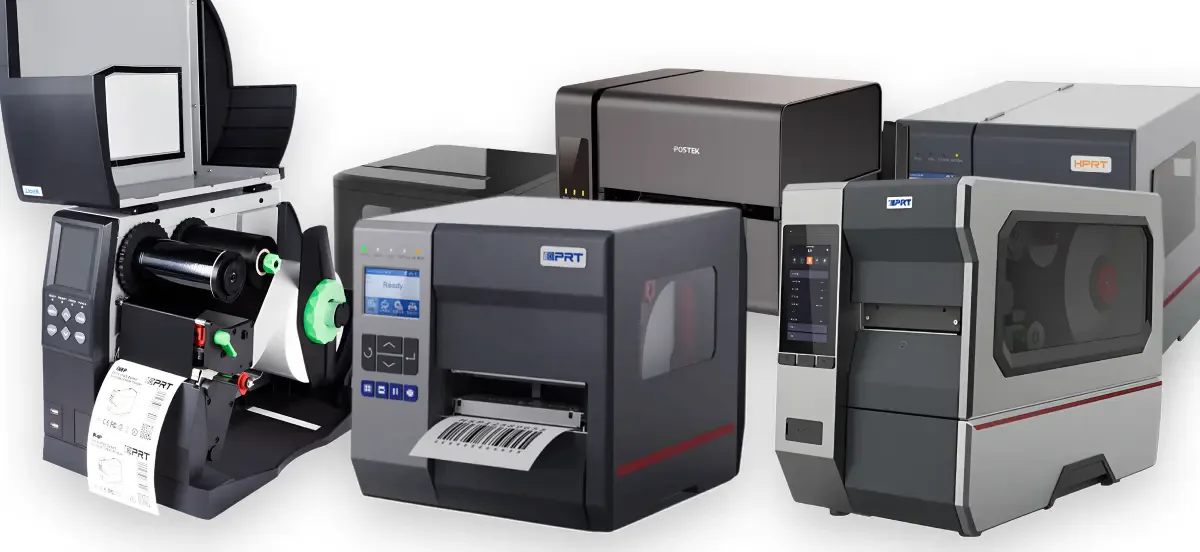
The reason is almost always the same: the label was printed using the wrong method. There are two fundamentally different types of label printers on the market, and they are most often confused not out of ignorance, but because the equipment looks almost identical on the outside. Let's break down how thermal printing differs from thermal transfer, what kinds of labels and ribbons exist, and why a printer needs a rewinder with a dispenser.
Thermal or Thermal Transfer: What's the Difference
Both printing methods work through a thermal printhead: it heats individual dots on the ribbon, and these dots form the image. The difference lies in what exactly is being heated.
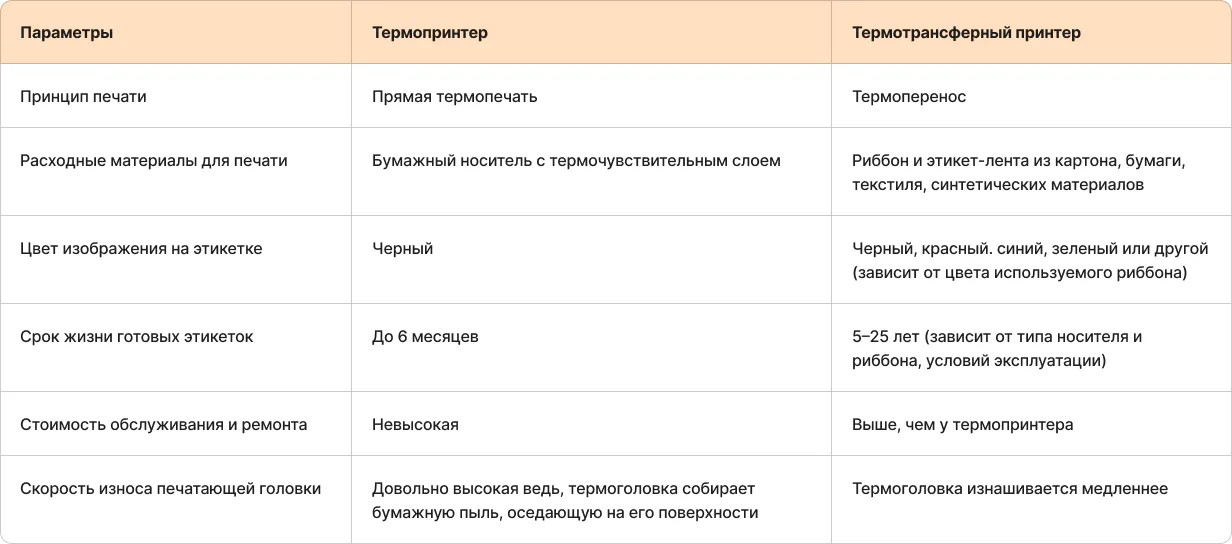
Thermal printing is the simplest option. The special paper itself is sensitive to heat: wherever the head has heated the surface, the paper darkens. No ink, no additional ribbon - just a thermal head and a heat-sensitive label.

The upside is obvious: consumables cost less, maintenance is simpler, and there are fewer parts that can break. The downside is just as obvious, only not right away: thermal paper keeps reacting to heat and light after printing. Leave it in the sun, in a hot trunk, or simply on a warehouse shelf for longer, and the image starts fading on its own, with no scanner involved and through no fault of the equipment.
"A thermal label is like a grocery store receipt. While it's fresh, everything reads perfectly. Six months later, all that's left of it in your wallet is a blank white strip."
Thermal transfer works differently. A separate ribbon with an ink layer passes between the printhead and the label. The printhead heats the ribbon rather than the label itself, and the ink is transferred from the ribbon onto an ordinary, non-thermosensitive surface. The result is a print that fears neither sun, nor heat, nor moisture - because the ink is pressed into the material rather than "drawn" by temperature on reactive paper.
The rule for choosing is simple: if the label lives on a product for days or weeks (for example, a price tag in retail, a label on fresh baked goods) - direct thermal printing is enough, and there is no point in paying extra for a ribbon. If the label has to survive a warehouse, transportation, temperature fluctuations, or simply a long shelf life of the product (motor oils, building materials, industrial chemicals) - thermal transfer is required, otherwise in a couple of months the code on the label will physically stop being readable.
What types of labels exist and why it matters at all
The label material itself is a separate variable, and it is no less important than the printing method.
Paper semi-gloss and matte are the most common and affordable option. They are suitable for direct thermal printing and for thermal transfer. They hold print well, but do not tolerate moisture or mechanical abrasion well.
Direct thermal labels - specifically for direct thermal printing, without ribbon. They are most often used where the label is short-lived anyway: receipts, tags, temporary marking.
Polymer (PP, PE, PET) - do not soak through, resistant to oils, chemicals, and temperature fluctuations. This is the choice for production facilities where the label comes into contact with a wet or oily surface - motor oils, household chemicals, refrigeration equipment. They are printed only by thermal transfer: such materials simply do not accept direct thermal contact.
Textile labels (for clothing, washcare labels) — withstand washing and can only be printed by thermal transfer using a textile-based ribbon.
The mistake seen most often: people take a nice glossy polymer label but print it with a direct thermal printer without a ribbon — yet the printer physically cannot "develop" anything on it, because there is simply no heat-sensitive layer there.
Ribbons: wax, wax-resin, resin
If the label requires thermal transfer, the next question arises: which ribbon. There are three types, and the difference between them is the difference between "it'll do" and "it'll survive production."
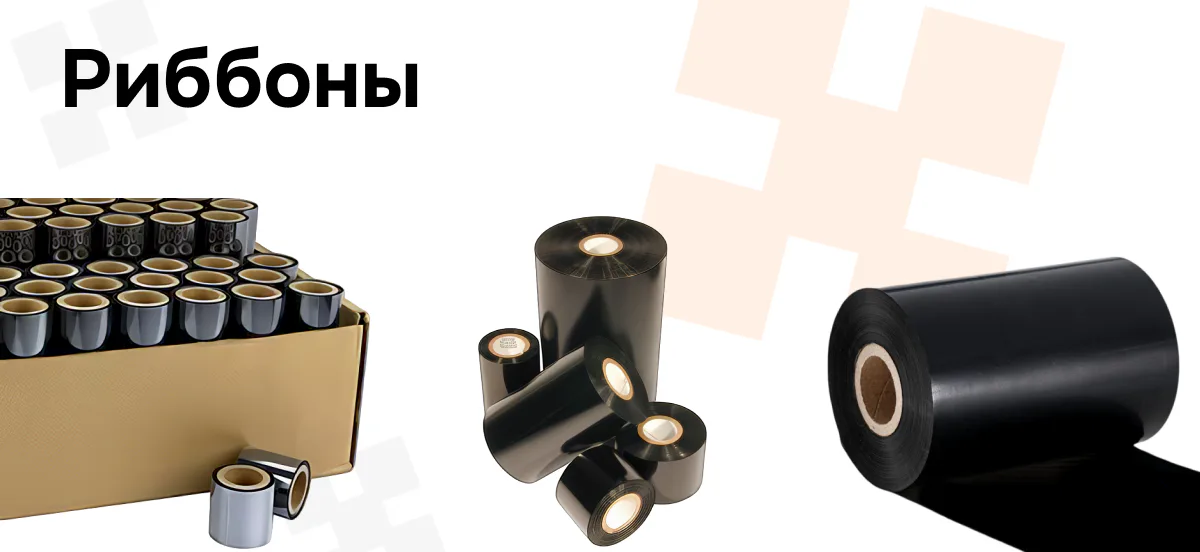
Wax is the cheapest and most common. It prints excellently on paper labels, but its durability is low: the ink can be easily rubbed off with a fingernail and is sensitive to moisture and friction. It is suitable for internal logistics and warehouse marking, where no one will rub or wet the label.
Wax-resin is the golden mean. It prints more clearly, holds up better, is more resistant to light abrasion and moisture droplets. This is the most common choice for general-purpose industrial labeling - boxes, pallets, warehouse documentation.
Resin is the most durable and the most expensive. The only option that really works on polymer and textile labels, withstands oils, chemical reagents, sterilization. If the labeling must survive washing, an autoclave, or contact with an aggressive environment - only resin.
"A ribbon is not a matter of "cheaper or pricier ink." It is the question of whether the marking code will survive the journey from the conveyor belt to the store shelf or not."
Rewinders and dispensers: why they are needed
These are not part of the printer itself but additional modules, yet without them a bottleneck quickly emerges in real production.
A dispenser (peeler) peels the label off the liner right at the moment of printing — the output is a ready label that the operator takes and applies immediately, with no extra movements. It is indispensable where labels are applied manually: on a conveyor line, at a packing table.
A rewinder winds the printed labels back into a roll — either with the liner or already separated. It is needed where labels are applied not manually but by an applicator: the printer prints a batch, the rewinder collects a finished roll, which is then fed into the applicator without stopping the line.
The choice between them depends not on the printer, but on how exactly the labeling gets onto the product afterwards — by an operator's hands or by an automatic applicator. If an applicator is already installed on the line, a rewinder is a must, otherwise you will have to constantly stop printing and reload the roll by hand.
Add-ons — what else can be installed on the printer
In addition to the rewinder and dispenser, industrial printers can also be equipped with other modules - for example, cutters (cutter), which cut the web into individual labels, or built-in scanners for code verification immediately after printing. This is already a more specific setup for a particular line, and the right set of add-ons depends on how exactly the production process is organized. If you're interested in this topic, we'll cover it separately and show you live in our lab what options are available and how they integrate into the line.
What DMARK sells
In Kazakhstan, DMARK is the official distributor of iDPRT and HPRT printers: from compact desktop models for retail and warehouse to industrial printers with thermal transfer support, built-in dispensers and rewinders for high-load lines. We select the model and consumables (labels, ribbons) for a specific task — the same rule as with all other equipment: we don't sell "just in case", but look at the real conditions in which your labeling will operate.
How to choose — a simple cheat sheet
The label has a short lifespan, conditions are mild (retail, internal logistics) - thermal printing, thermal label, no ribbon.
The label must survive the warehouse, transportation, and time - thermal transfer, paper label, wax-resin ribbon.
Contact with oil, chemicals, moisture, sterilization — thermal transfer, polymer or textile label, resin ribbon.
Applying labels manually on the line — install a dispenser. Applying labels with an applicator — install a rewinder.
Not sure which configuration suits you?
Bring a sample of your product and packaging - we will select the printer, label, and ribbon on the spot, in the DMARK laboratory.